Temperature Trims (IAT / CLT)
Fuel correction tables for intake air temperature and coolant temperature
The IAT Trim and CLT Trim pages let you tune the temperature-based fuel correction tables. These tables apply a multiplier to the base fuelling to compensate for how air density and engine fuelling requirements change with temperature. Getting them right is particularly important for cold-start enrichment and for engines that operate across a wide ambient temperature range.
IAT Trim page
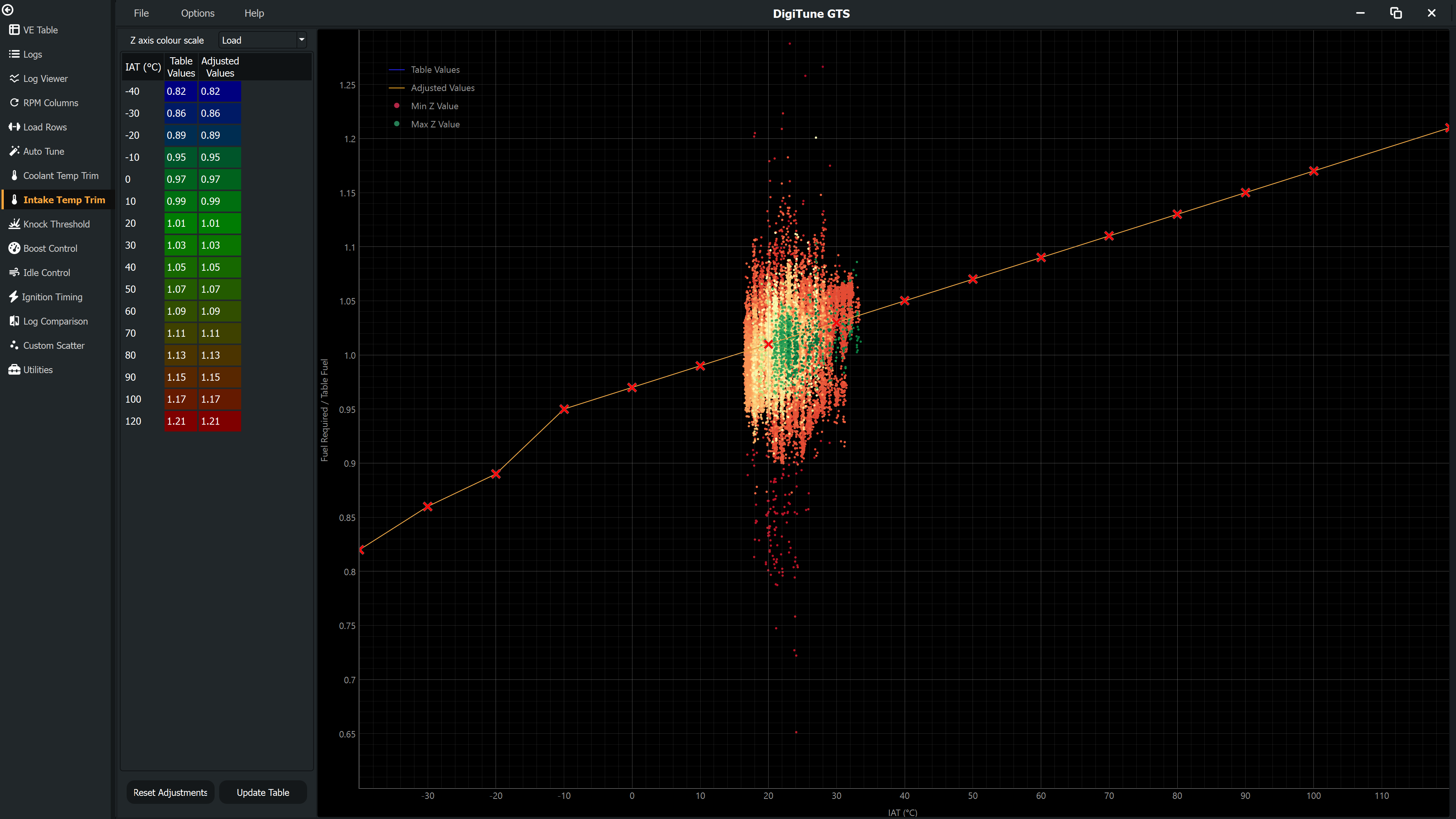
The X axis of the IAT Trim graph is intake air temperature (−40 °C to +80 °C). The Y axis shows the trim correction factor or percentage. Each scatter point represents the measured fuel correction required at that IAT.
2D vs 3D IAT Trim
- 2D IAT Trim (ME, MegaSquirt, Link, ECUMaster) — A single trim curve across IAT. No load selection is shown. You can optionally colour the scatter points by data quality or load using the Z-axis dropdown.
- 3D IAT Trim (Haltech) — The trim table has both an IAT axis and a load axis. A Load column dropdown appears. Select a load breakpoint to view and edit the trim slice for that load band.
CLT Trim page
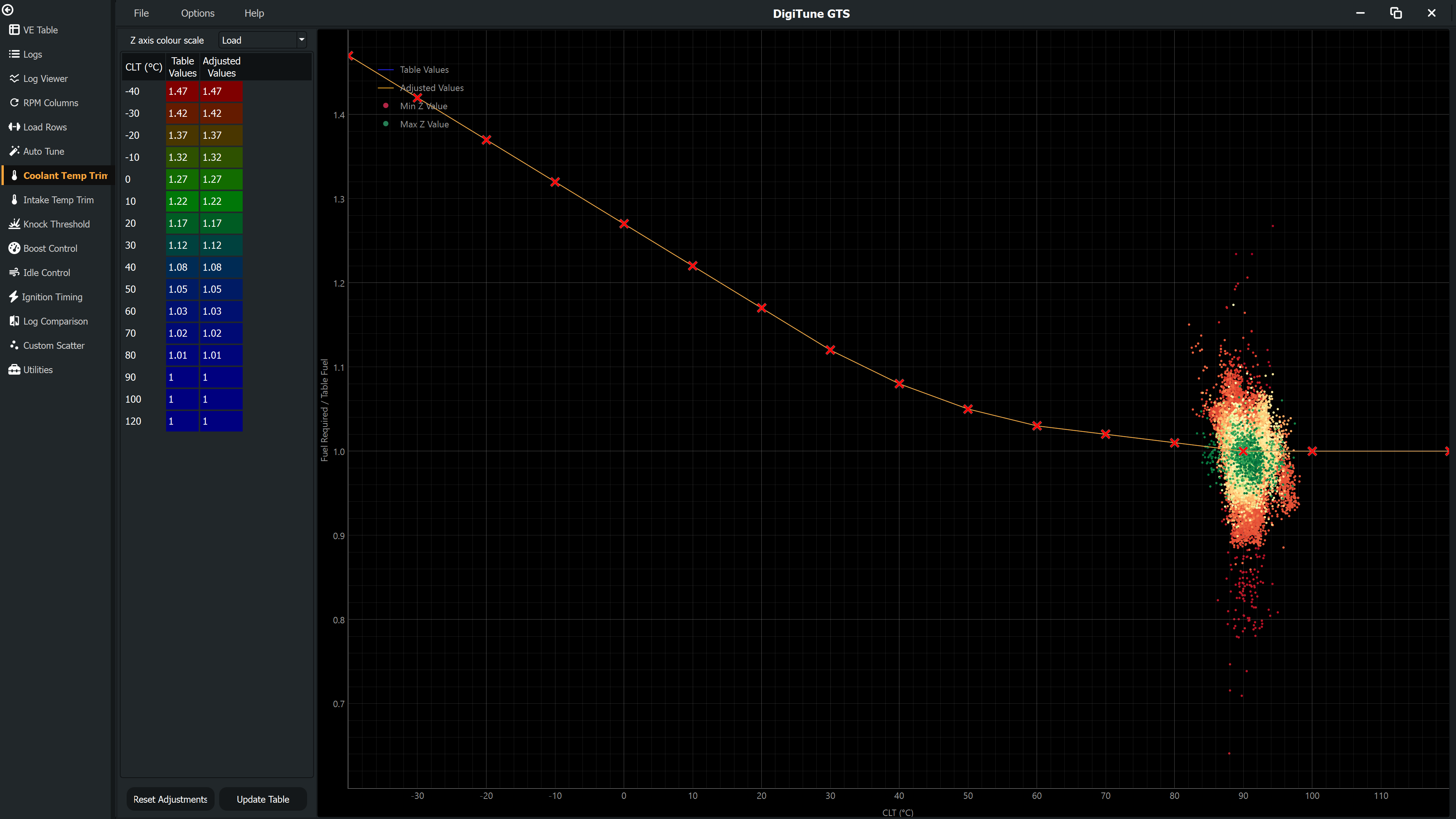
Identical in layout to the IAT Trim page, but the X axis is coolant temperature (−40 °C to +130 °C). Cold-start enrichment is visible as higher trim values at the left side of the graph.
2D vs 3D CLT Trim
Same as IAT Trim — Haltech uses 3D tables with a load axis; other ECUs use 2D tables.
How to tune trim tables
- Collect log data that covers the temperature range you want to tune. For CLT this means logs from cold start to fully warm; for IAT it means different ambient conditions or different seasons.
- On the trim page, inspect where scatter points sit relative to the current trim line. Points above the line mean the engine is lean at that temperature; points below mean it is rich.
- Adjust the table values to move the trim line towards the centre of the scatter. Use cell increment/decrement or paste from clipboard as appropriate.
- Click Update to commit changes, then save and verify with a new log.