Utilities Page
Bulk VE-table adjustments and calibration helpers
The Utilities page groups several tools that operate on the whole VE table, or on the calibration as a unit, rather than tuning a single cell at a time. Its tabs are shown along the top of the page. Some tabs only appear when the relevant data is present in the loaded log (for example, TPS Cal. requires a raw TPS channel).
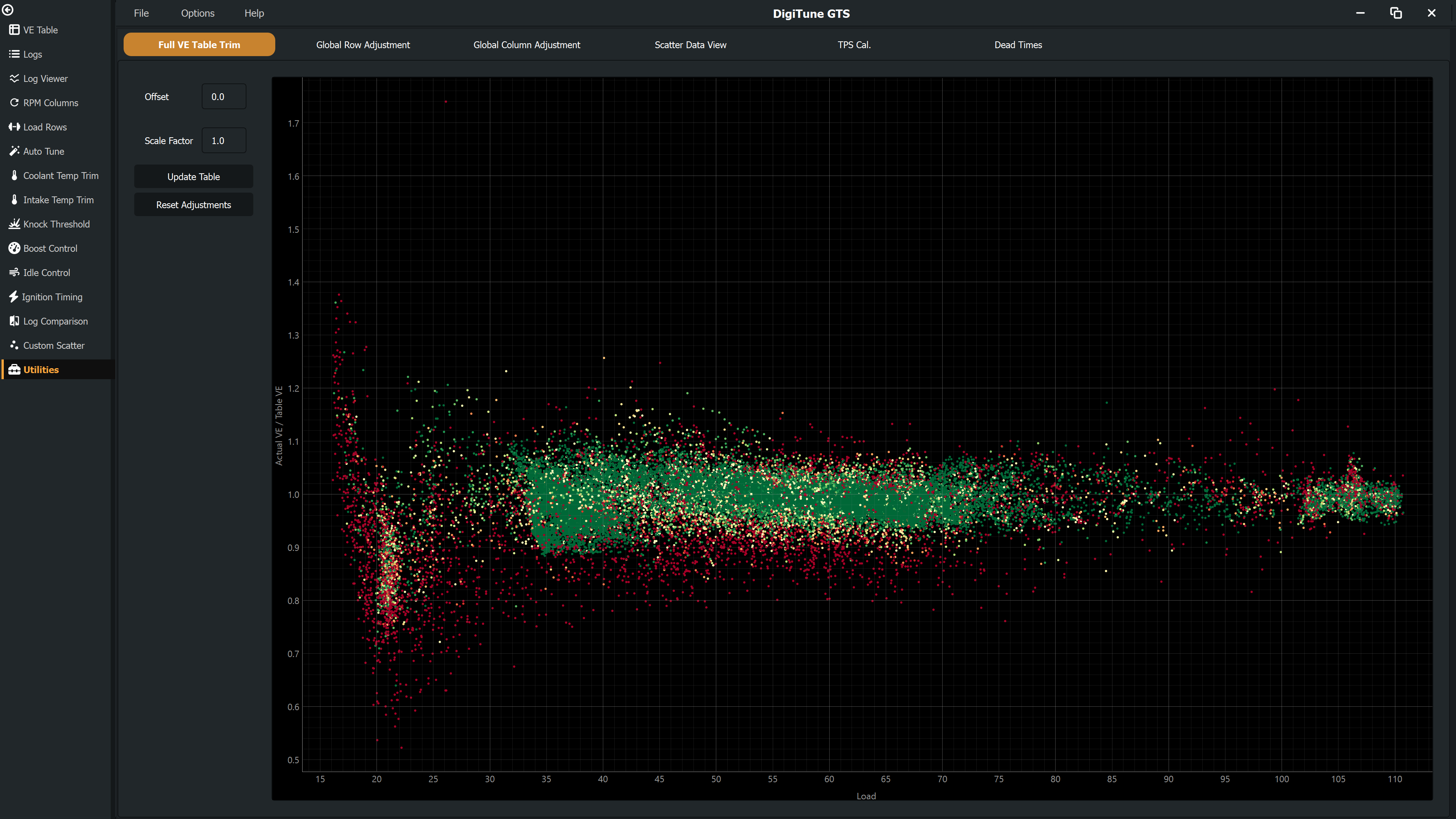
Full VE Table Trim
Applies a global scale and/or offset to every cell of the VE table at once.
- Offset — Value added to every cell. Useful for shifting the whole table up or down by a constant amount.
- Scale Factor — Value every cell is multiplied by. Useful when the engine is uniformly lean or rich by a percentage across the entire map.
The scatter plot to the right shows the ratio of measured fuel to table fuel across the load range. The values you enter update the scatter live so you can see how the trim moves the data relative to the ideal line.
Click Update to commit, or Reset to discard.
Global Row Adjustment
Calculates the average required fuel correction across all RPM points for each Load row in the VE table. Useful when a specific load band is uniformly lean or rich and needs a constant multiplier applied across every RPM cell in that row.
The table shows the calculated correction ratio per row. Adjust the ratios if you wish, then click Update — the correction is applied multiplicatively to every cell in the corresponding VE row.
Global Column Adjustment
The mirror of Global Row Adjustment: calculates the average required correction across all load points for each RPM column. Useful when a specific RPM band is uniformly off and needs a constant correction applied across every load cell in that column.
Scatter Data View
A read-only scatter view of the merged fuel data set. Useful for getting a sense of overall map coverage and how the measured fuelling compares to the current VE table at a glance, without committing to a specific RPM or Load slice.
TPS Cal. conditional
Visible only when a raw TPS sensor channel (TPSraw) is present in your logs.
This tool analyses settled idle and wide-open-throttle (WOT) periods in the log and suggests
the 0 % and 100 % raw counts for the TPS calibration, with a 200-count deadband applied to
each end.
The page shows:
- The observed minimum and maximum raw TPS values found in stable regions.
- Suggested 0 % and 100 % calibration points.
- A scatter of raw TPS vs time so you can sanity-check the regions used.
For ME ECUs, an Apply button writes the suggested values directly to the calibration's TPS HRT table. For other ECUs the suggestions are display-only — copy the values into your ECU software manually.
Dead Times conditional
The injector dead time table — typically dead time (in ms) by battery voltage. Useful when swapping injectors or compensating for a known dead-time error.
Editing dead time values and clicking Update scales the affected VE cells by the per-cell mean fuel compensation factor and writes the new dead times back to the calibration. The scatter plot shows the compensation ratio (measured fuel / table fuel) vs battery voltage, coloured by data quality — points well above 1.0 mean the table is asking for more fuel than measured at that voltage, which usually indicates dead time is too high.
Right-click the dead time table for options to save, load, or delete a dead-time preset, or to load dead times from another map file.